Open Spark

A better place for your ideas.

Semesters end. Ideas shouldn’t.

Course portals are built like filing cabinets - walled off by class code and wiped clean at the end of every term. Academic journals only want the finished paper. That leaves the most important part of discovery - the early, unpolished spark where a breakthrough actually begins - with nowhere to live.
Built for how thinking actually works.

Spark gives an idea room to grow. Start a rough thought with a few people you trust, test it through four clear ways of responding, and let contributors weigh in before names are revealed. No follower counts. No noise. Just good ideas getting stronger - and a body of work that stays with you.

01

How an Idea Grows

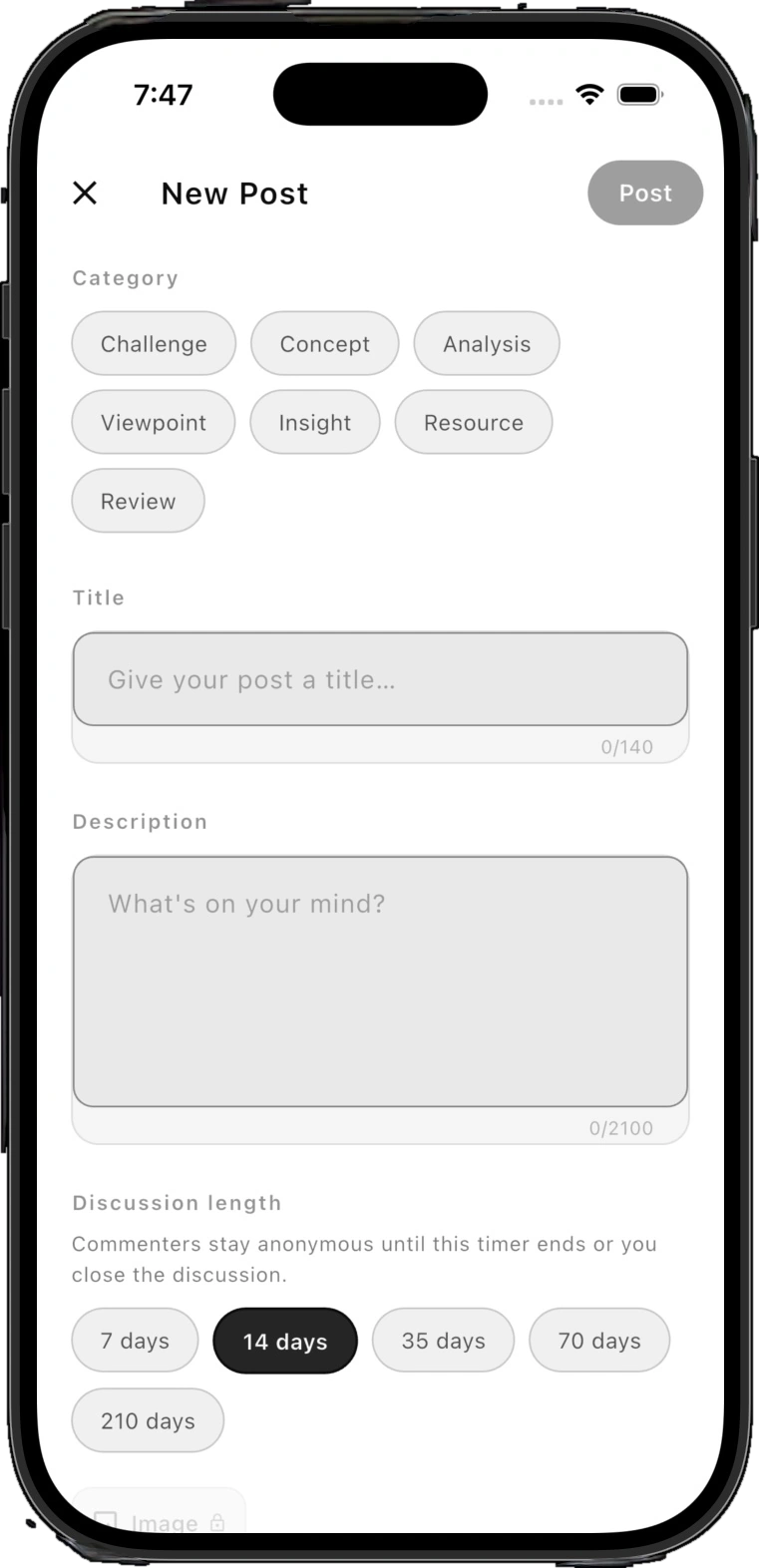
Category and evaluation window screen showing Concept, Analysis, and Challenge stages with contributor identities masked

Blind Evaluation

Judged on the thought. Not the title.

Every post begins with a clear intent - Concept, Analysis, or Challenge. While a timed discussion is open, contributor names stay hidden. A first-year student and a tenured professor are read on equal footing, so the strongest reasoning wins.

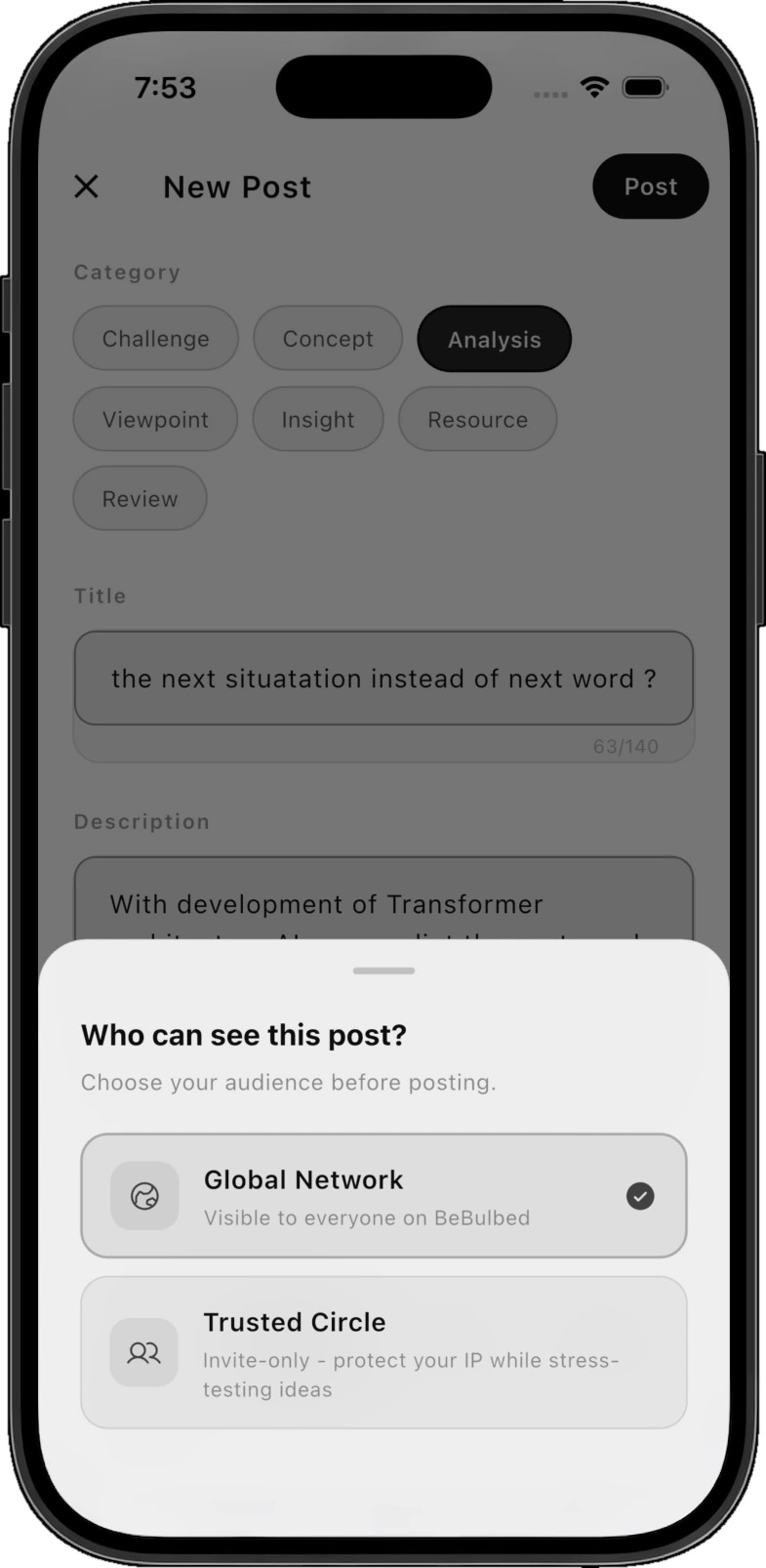
Audience architecture screen showing a Trusted Circle toggle isolating who can see an early-stage post

Audience Control

Private when it’s fragile. Public when it’s ready.

Not every thought is ready for a crowd. Start in a Trusted Circle to work through an early hypothesis with hand-picked collaborators, share it with your university workspace, or open it to everyone on Spark when it’s ready to travel.

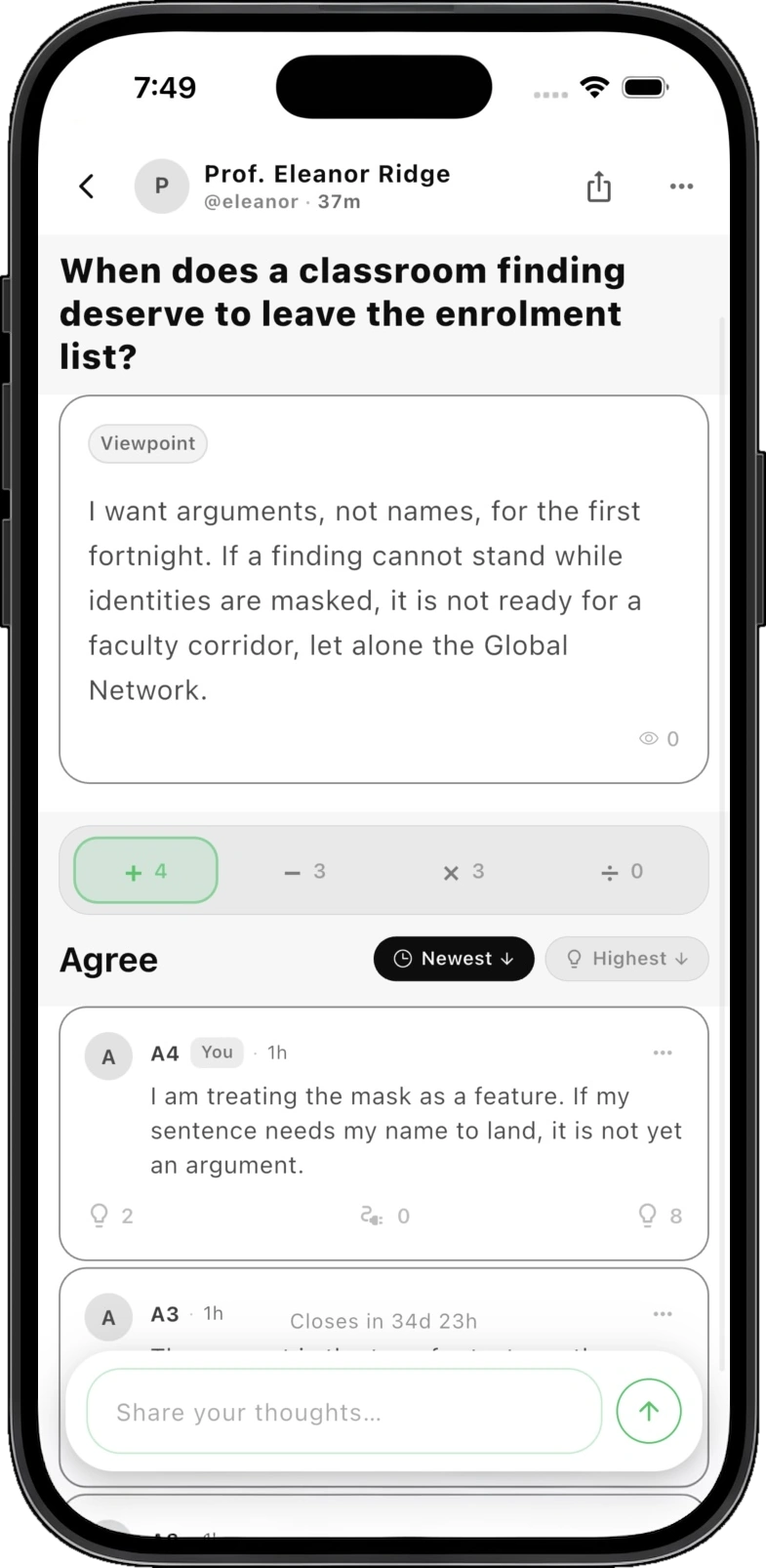
Arithmetic discourse thread showing add, expose flaw, synthesize, and isolate assumptions operations on a claim

Four Ways to Respond

More than a like button.

Great ideas aren’t built by thumbs-up alone. Every response on Spark chooses a clear purpose: add supporting evidence (+), challenge a flaw (−), expand the scope (×), or synthesize the takeaway (÷). Every voice moves the idea forward.

02

Across Your Campus

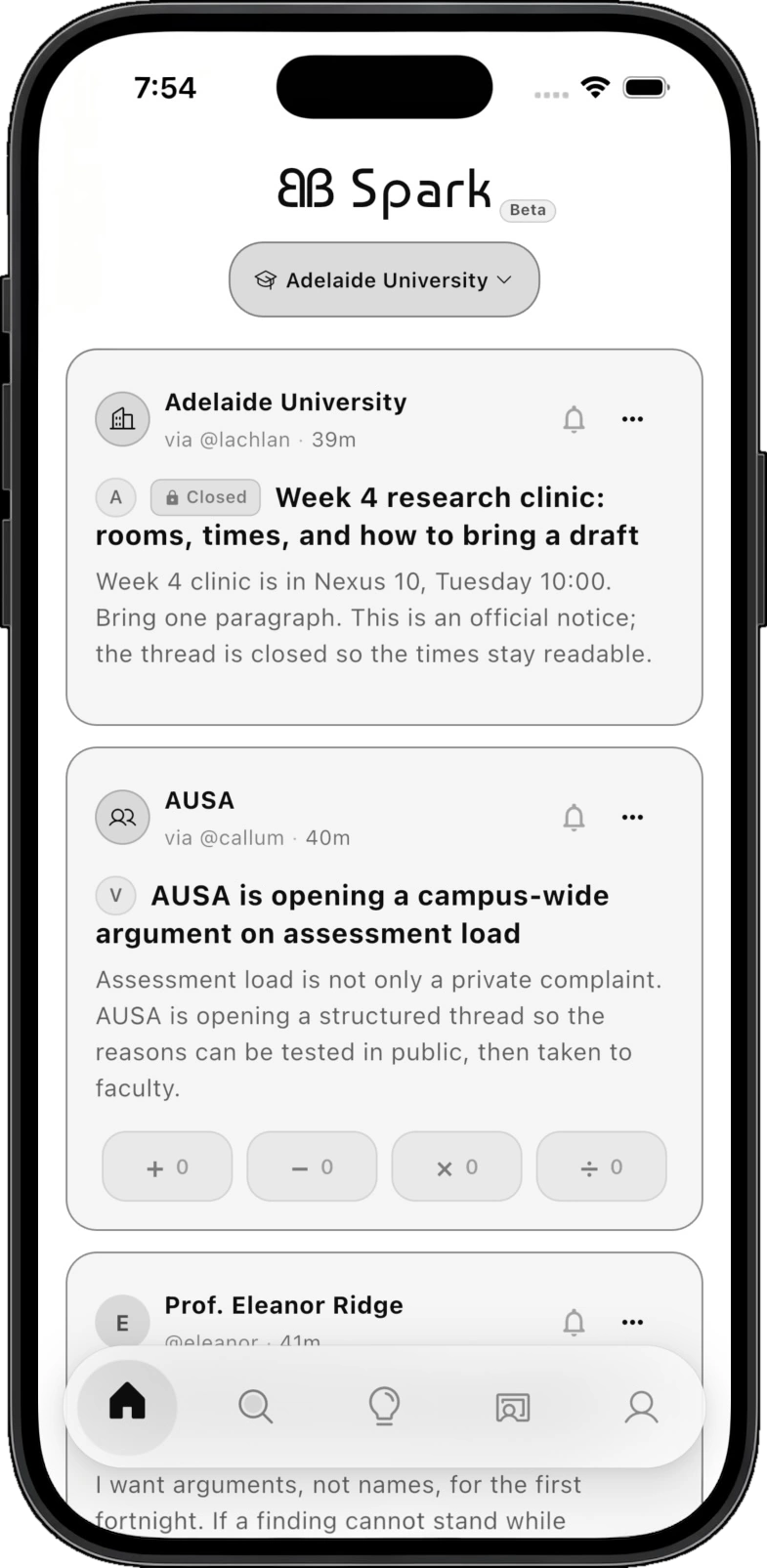
Department and community feed screen showing campus-wide announcements and deliberation threads

Workspace Feed

One university. Zero walls.

  • Clear announcements - Updates from faculty, research groups, and clubs stay organized and easy to read - without getting buried in an inbox.
  • Campus-wide dialogue - Students and departments can work through real questions together, turning scattered opinions into clear, structured takeaways.
  • Cross-discipline discovery - A question in computer science can spark an answer from medicine. Ideas meet across departments, just like they do on campus.
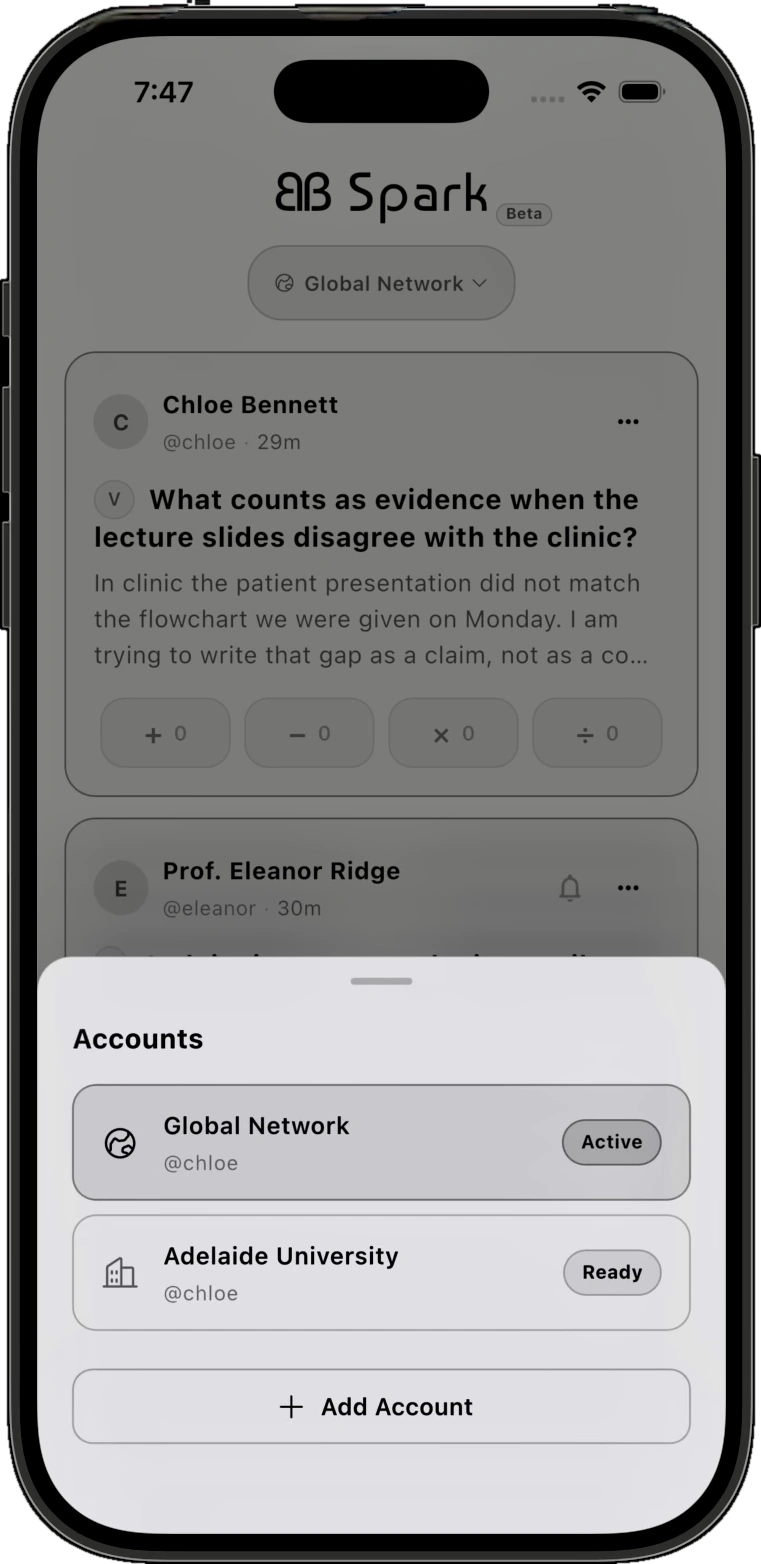
Federated identity switcher screen toggling between an institutional workspace and the borderless global commons

Account Switcher

Your workspace and your personal account. Side by side.

  • One-tap switching - Move effortlessly between your private university workspace and your personal account without signing out.
  • Clear boundaries - Keep coursework and department discussions inside your institution, and use your personal account when you want to share with the world.
  • Yours to keep - Your workspace access comes from your university, while your personal account and public work stay with you long after graduation.
03

In the Classroom

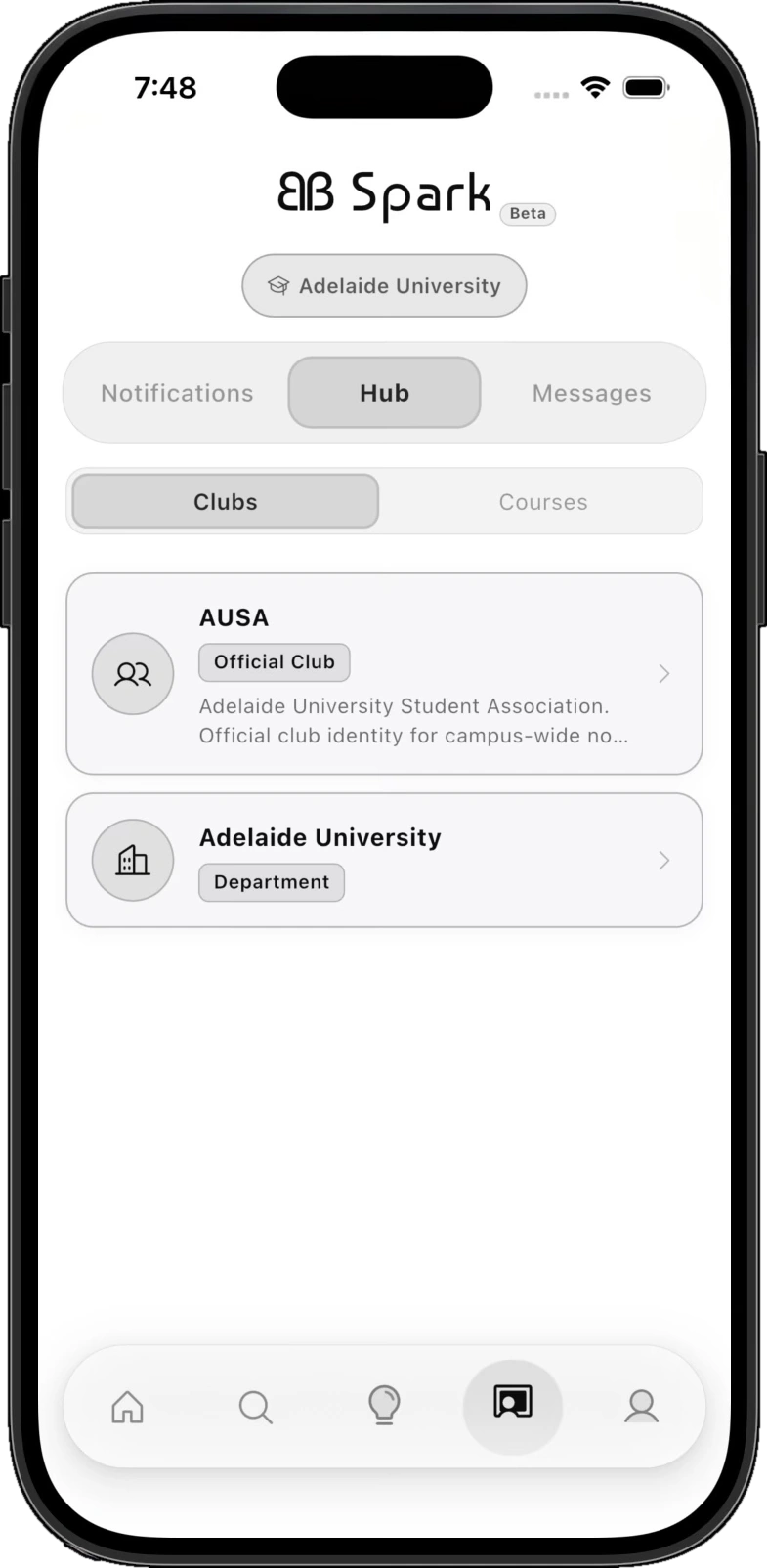
Campus commons screen showing student association and department leadership announcements in a shared, structured space

Clubs & Societies

Every student group, in one place.

Academic societies, student councils, and research clubs get an official voice on campus. Share announcements, host structured debates, and bring members together without relying on ad-driven social feeds.

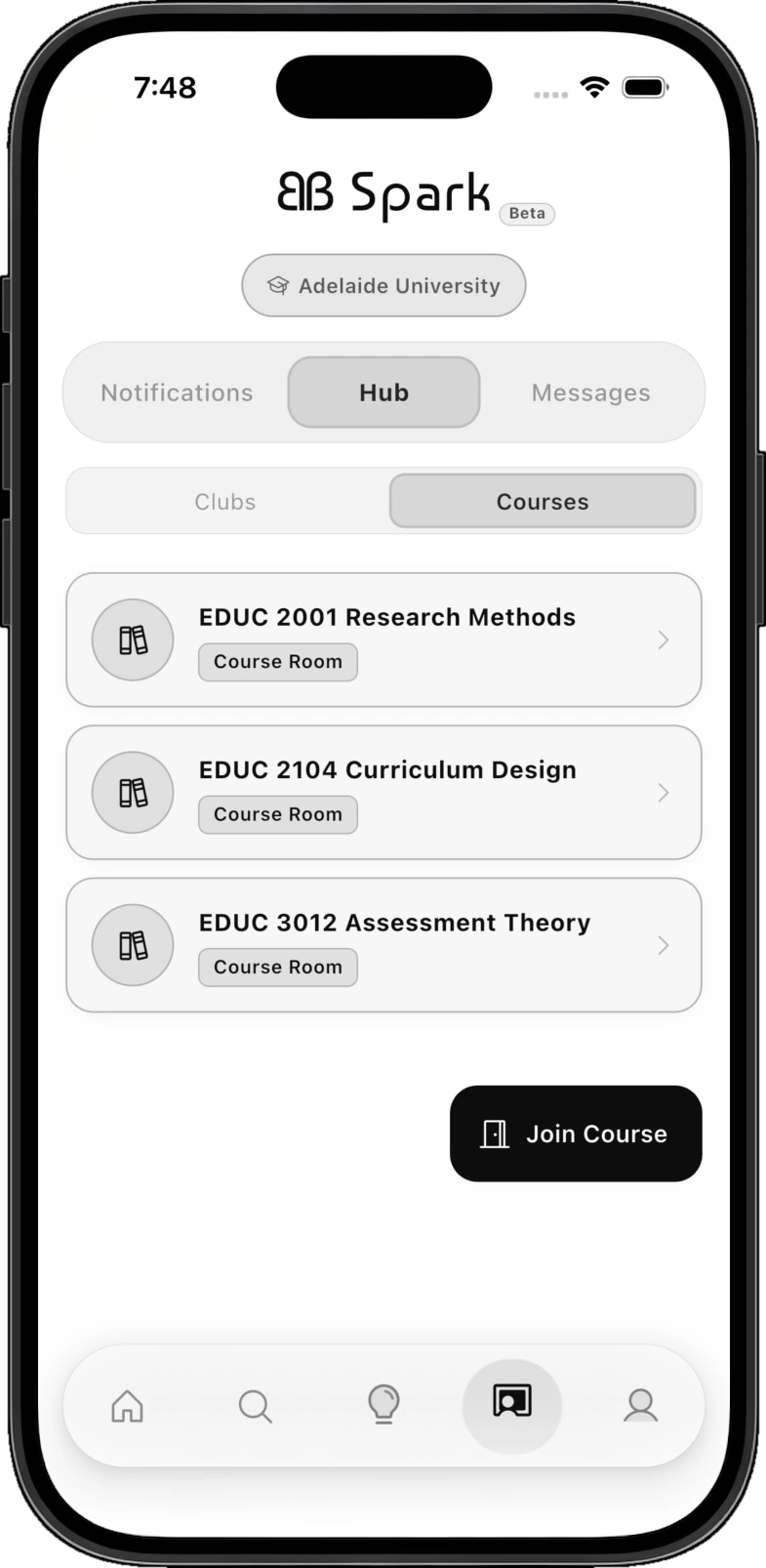
Curriculum sandboxes screen showing dedicated rooms for enrolled subjects, cohort-verified and specific to each syllabus

Course Rooms

A dedicated room for every class.

Students join rooms built around their enrolled subjects and organized week by week. Professors get a focused space for class prompts and seminar discussions - free from off-topic clutter.

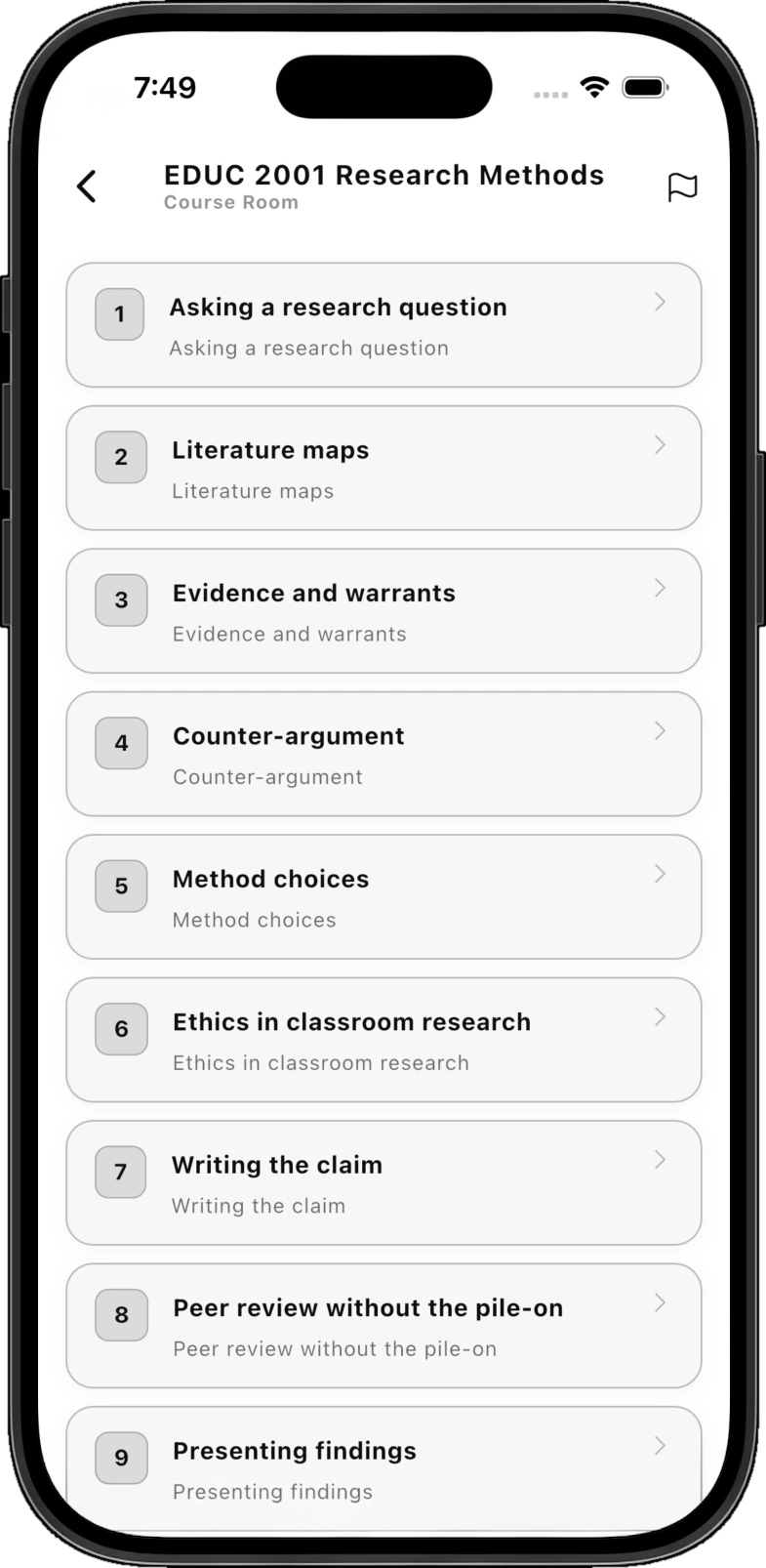
Arc of scholarly thought screen showing structured learning milestones from initial hypothesis to peer review

Guided Inquiry

From first question to final synthesis.

Follow a thought from week one to the end of term. As a class builds on evidence (+), tests counter-arguments (−), and connects new angles (×), the thread distills into a shared synthesis (÷) everyone can learn from.

04

A Record of Your Work

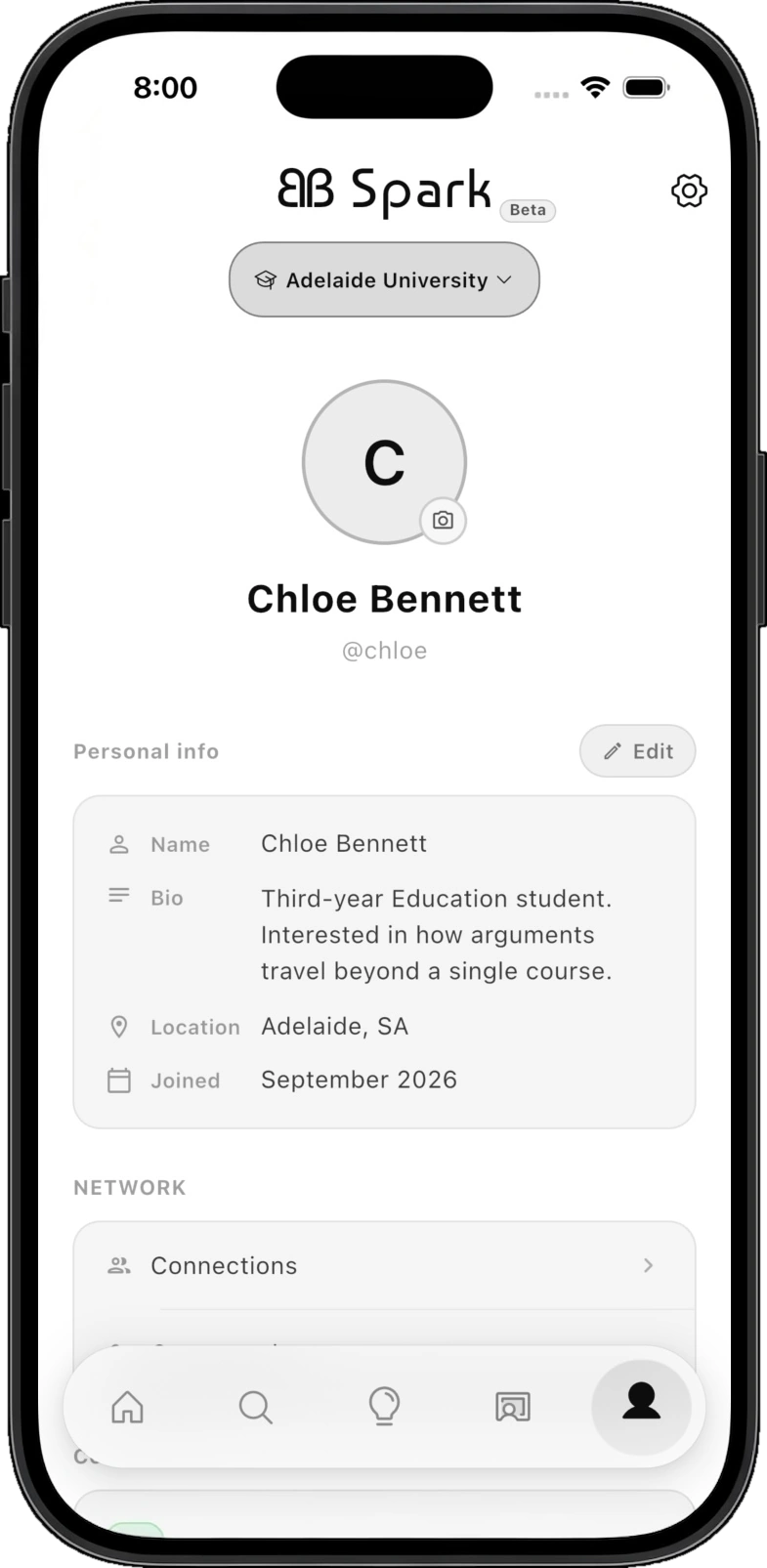
Persistent academic profile screen showing a lifelong, verifiable record of a student's contributions

Your Profile

Work that doesn’t disappear at graduation.

Most class discussions vanish the day grades are posted. Spark turns your best questions, arguments, and syntheses into a lasting portfolio that shows not just what you studied, but how you think.

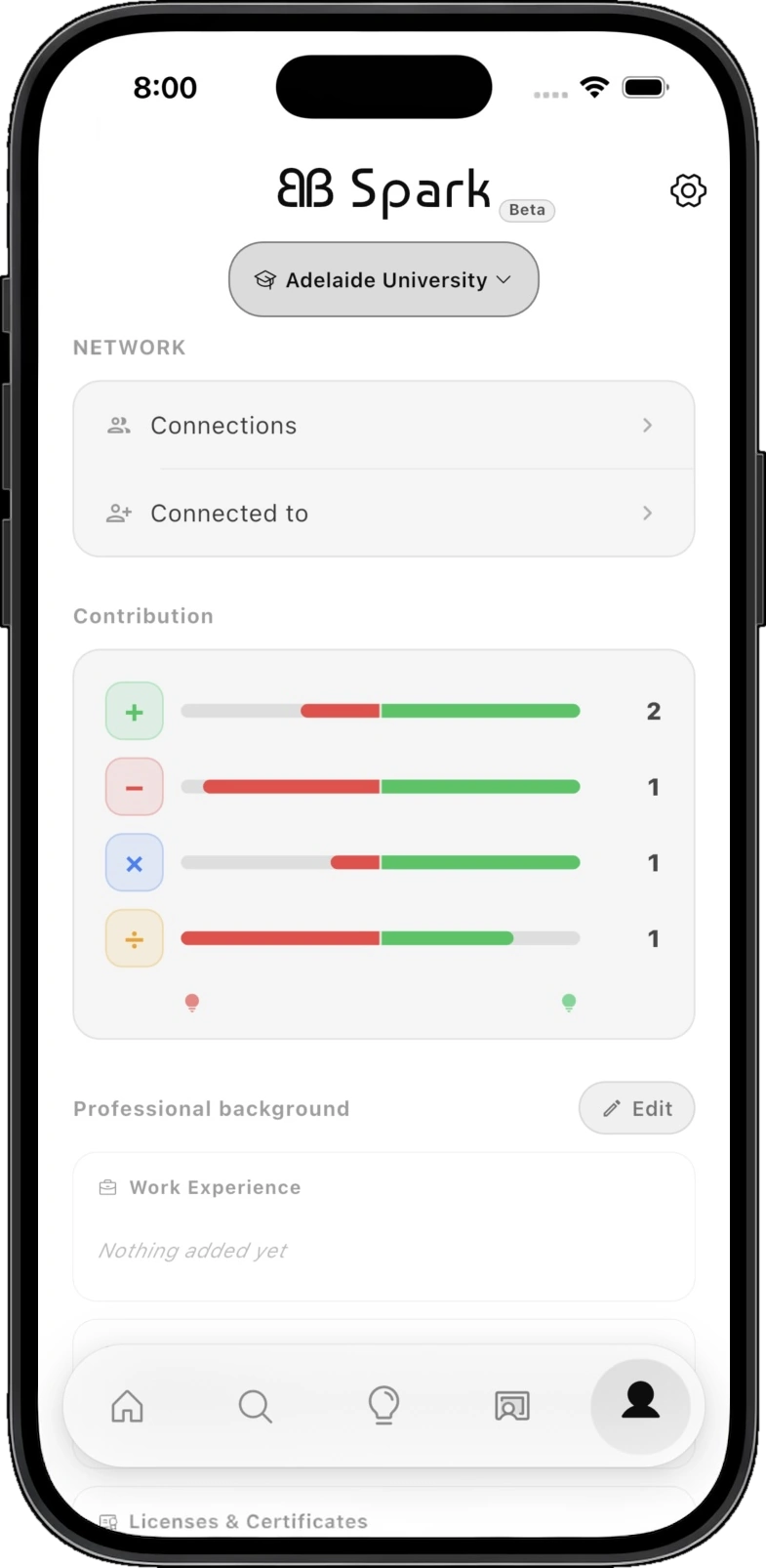
Four-color contribution metric screen visualizing balance of evidence, critique, synthesis, and deconstruction

Activity Spectrum

See how you think, in four dimensions.

Four simple bars reflect how you contribute across discussions - whether you build with evidence (+), sharpen ideas through critique (−), connect new fields (×), or distill the final synthesis (÷).

Built for Everyone on Campus

  • Students

    Turn everyday class discussions and independent questions into a lasting portfolio of how you solve problems.

  • Universities

    Give every course a focused space for discussion while connecting bright minds across departments.

  • Industry

    See how graduates actually reason - how they weigh evidence, question assumptions, and bring ideas together.

Two accounts. Four ways to think. Zero wasted work.

Join Spark